Daily
- 1
–
- Total loot
- –
- Attacks completed
- –
- 2
–
- Total loot
- –
- Attacks completed
- –
- 3
–
- Total loot
- –
- Attacks completed
- –
 COC Bot by Raboy
Download for Windows
COC Bot is a lightweight Windows client that runs a whole Clash of Clans session on your own PC. Account safety is our top priority.
Sums both main and builder base stats
Rankings require JavaScript and a connection to the rankings service.
Use /rank in #bot-commands on Discord–
–
–
Since tracking began
–
–
–
Set your loot targets. It switches village when storages are full.
Farming controls–Main Village attacks completedRecorded community totals
Choose which village to farm first.
Automatically switch
Switch to the other village when all resources in your preferred village are full and enabled upgrades cannot free space.
Use Builder Star Jars
Farm Thresholds
Attack when Gold ≥ 800000 AND Elixir ≥ 800000 AND Dark Elixir ≥ 4000.
Gold
Minimum Gold800000Elixir
Minimum Elixir800000Dark Elixir
Minimum Dark Elixir4000Typical averages, not a guaranteed deadline. Timing varies with Town Hall, starting wall levels, available loot and daily run time.
–Main Village wall levels completed
–Builder Base wall levels completed
Recorded community totalsEach village keeps its builders and research busy.
Walls and upgrades–Building upgrades startedRecorded community totals
Main Village Upgrades
Enable Laboratory Upgrade
Research eligible Main Village units and assign the Lab Assistant when available.
Enable Building Upgrade
Upgrade eligible Main Village buildings and traps.
Enable Hero Upgrade
Upgrade eligible Main Village Heroes.
Main Village upgrades
Builders: 2 / 6 available
Builder Base upgrades
Builders: 1 / 2 available
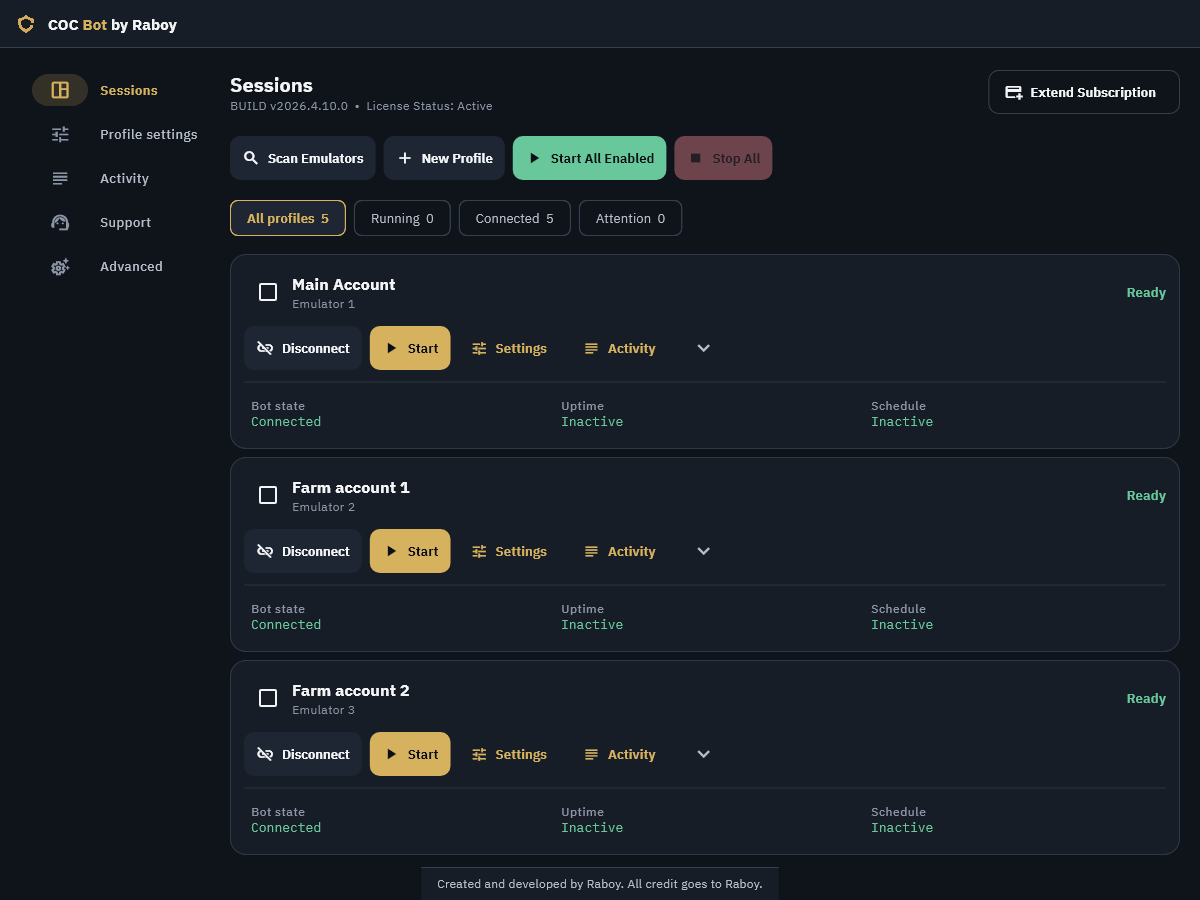
Main Account
Emulator 1
Bot state
ConnectedRunning
Uptime
InactiveStarting
Schedule
InactiveStarting
Farm account 1
Emulator 2
Bot state
ConnectedRunning
Uptime
InactiveStarting
Schedule
InactiveStarting
Farm account 2
Emulator 3
Bot state
ConnectedRunning
Uptime
InactiveStarting
Schedule
InactiveStarting
Farm account 3
Emulator 4
Bot state
ConnectedRunning
Uptime
InactiveStarting
Schedule
InactiveStarting
Auto donate
Auto donate
Donate eligible troops, spells and siege machines to clan chat requests. Uses available Elixir or Dark Elixir; never spends gems. Applies on the next start.
Standby mode
–Housing space donatedRecorded community totals
–Clan Games points earnedRecorded community totals
Clan Games
Working on your challenge.
Personal points: 800 / 4000
Bot Profile
Auto request troops before attacks
Requests clan-castle support before each eligible attack.
Human-like interaction and explicit account-risk warnings keep the choices in your hands.
Varied taps, swipes and action timing
Abstract illustration, not a recording
Warnings for continuous play and full storages
No Rest (24/7 mode)
Disables scheduled breaks and increases account-safety risk.
Auto quit COC when all resources are full
Turning this off can keep the account online long after storages fill, increasing account-safety risk.
Interface recreation · demonstration data
Individual start and stop controls
Main Account
Emulator 1
Coming soon
Coming soon
Schedule & Controls
Work for 1 hour, then rest for 30 minutes. The current farming loop finishes before the break.
Work Time
Rest Time
Progress totals require JavaScript and a connection to the progress service.
Hourly loot requires JavaScript and a connection to the progress service.
Peak unavailable
Hourly history is not available yet.
Recorded hours will appear here as reports arrive.
Peak unavailable
Hourly history is not available yet.
Recorded hours will appear here as reports arrive.
Loot includes credited bonuses. Walls count completed levels; buildings, heroes and research count upgrades started. One Builder Base battle counts once across both stages.
Online clients report within five minutes. Totals begin when tracking starts and exclude uncertain results.
Use /progress in #bot-commands on Discord