
Farming, Auto donate, Clan Games, Builder Base, walls and upgrades, on a schedule you set.
Browse all capabilities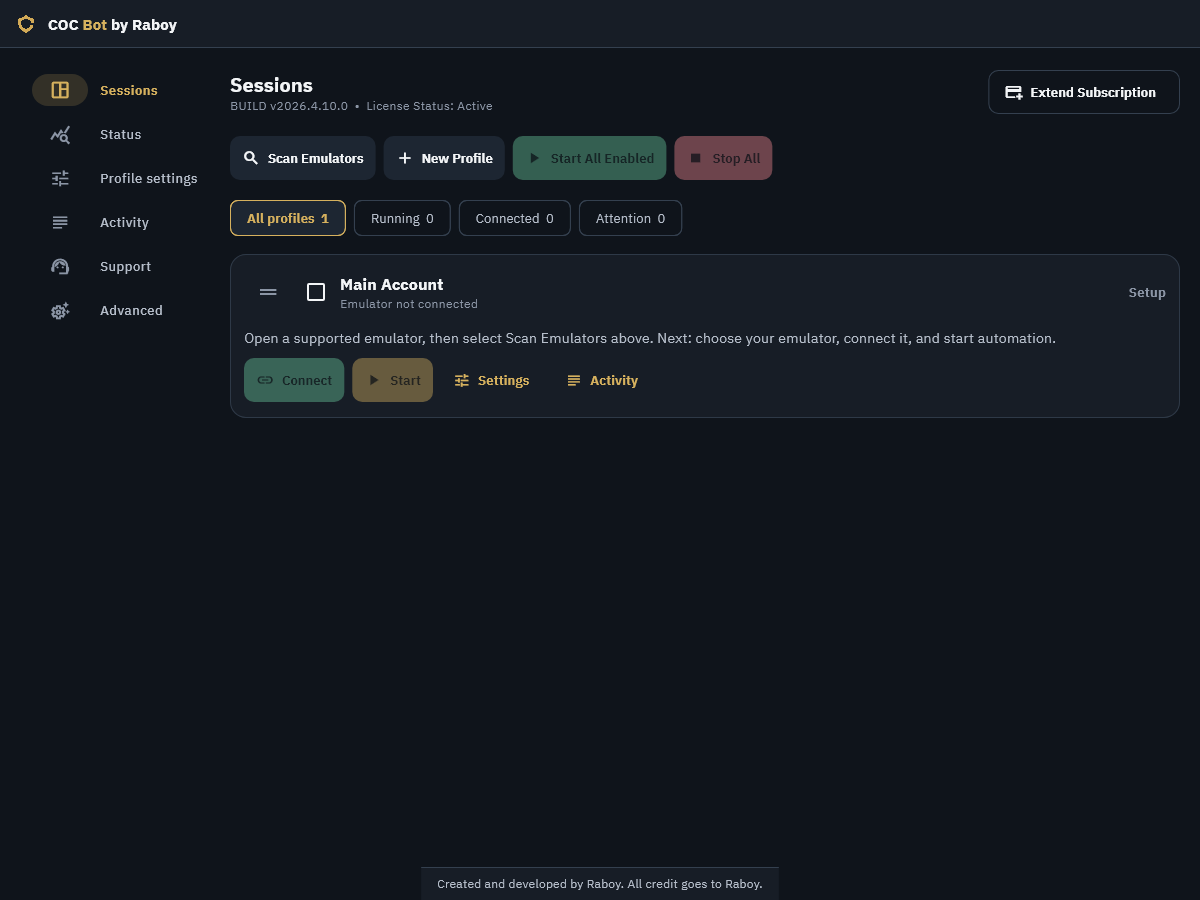
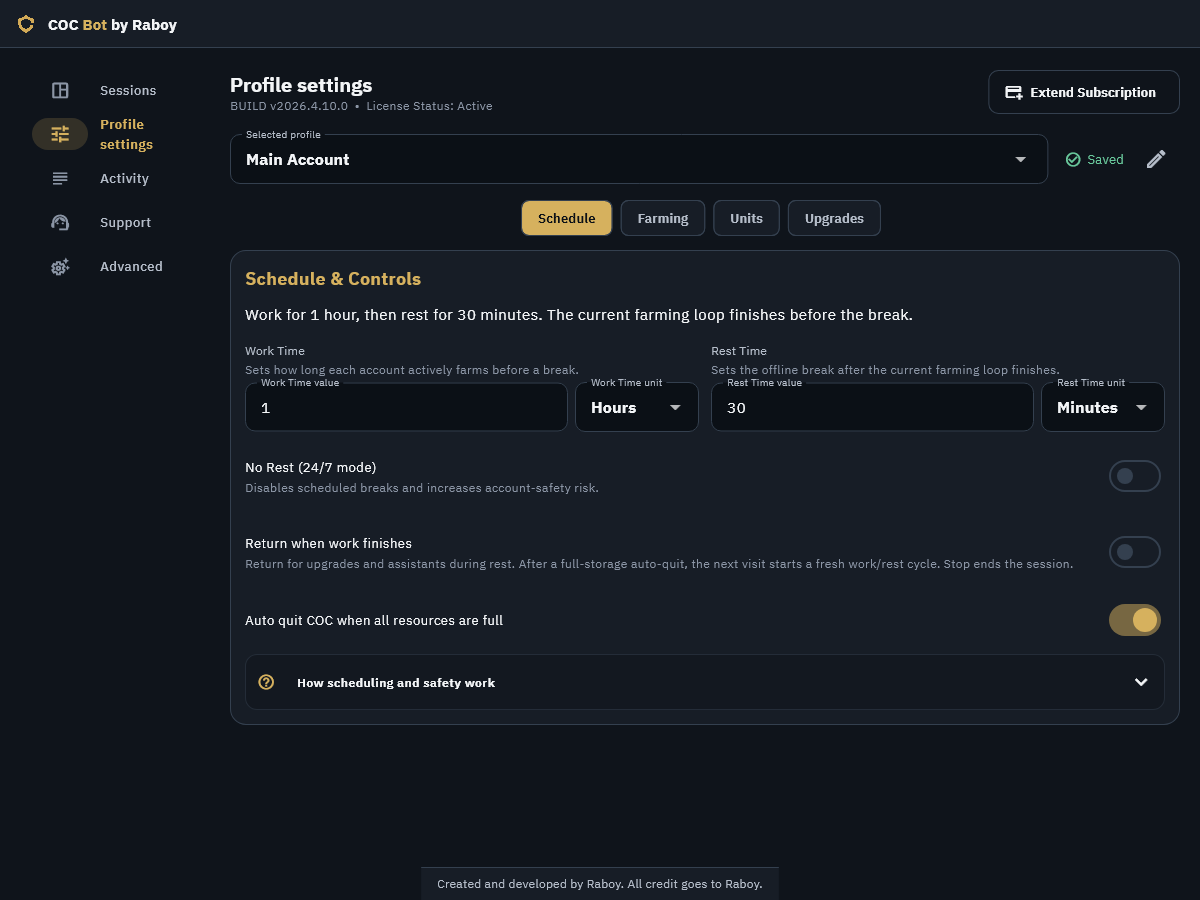
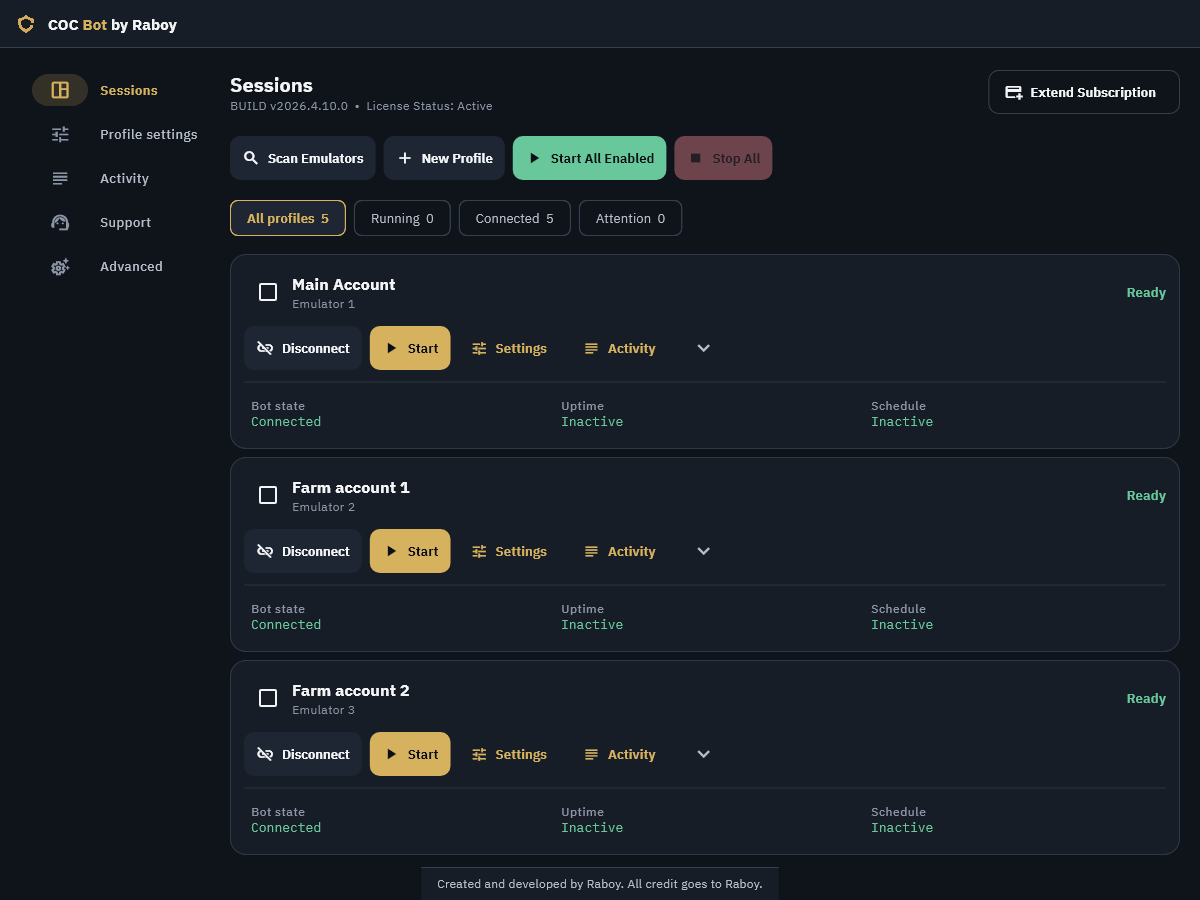
Interface examples; build labels and sample settings may differ.
Choose a category to explore.
Farming & Ranked
Loot targets, automatic Ranked counts, and efficient cycles
Farming & Ranked
Loot targets, automatic Ranked counts, and efficient cycles
- Farm for Gold, Elixir and Dark Elixir with independent minimum targets and resource on/off controls.
- Attack when any enabled threshold is met, or require all of them. Optionally ignore a threshold while its Home Village storage is full.
- Skip unsuitable bases and move into attacks that meet your goals.
- Enable Ranked in Farming with one toggle. Available attacks are counted automatically, and the bot continues farming when Ranked attacks run out.
- Use loot-, damage- or timer-based early surrender, with separate Farm and Ranked controls. Deploy remaining troops and spells before wrapping up eligible battles.
Auto donate
Reinforcement requests, Standby mode, and resource refills
Auto donate
Reinforcement requests, Standby mode, and resource refills
- Fill eligible clan requests with troops, spells and siege machines, including Super Troops without activating them. Donations use available Elixir or Dark Elixir, never gems.
- Auto donate is on by default for new profiles. Existing saved choices are preserved, and setting changes apply on the next Start.
- Optional Standby mode is off by default. Enable it to wait in Main Village for requests, with brief chat visits to keep the game active.
- When a donation becomes unaffordable, farm to refill only the short currencies to at least 95%. Donations continue between attacks, using your saved army and surrender settings.
- Standby follows your work/rest schedule, pauses Clan Games and automatic upgrades, and ignores full-storage auto-quit. Session cards explain whether the bot is waiting or refilling.
- Follow confirmed donations in Activity and track housing space donated in Status, Discord progress and community totals.
Clan Games automation
Supported challenges, tracked progress, and your personal point limit
Clan Games automation
Supported challenges, tracked progress, and your personal point limit
- Prioritize Clan Games is enabled by default in Farming. Choose supported Main Village and Builder Base challenges with your current enabled army.
- Automatically choose the highest-point suitable task, confirm it has started, and track progress toward your personal point limit.
- Check active Clan Games tasks before leaving for Builder Base, and skip cart visits after the event ends.
- Support loot, stars, destruction, building and Wall targets, enemy hero-level knockouts, and eligible troop, spell or hero challenges.
- Keep Builder challenges in Builder Base between attacks, even without an active Star Bonus.
- Return to normal farming at your personal point limit. If no suitable task is available, continue normal farming and check the board each loop; normal upgrade and full-storage auto-quit rules apply.
- Follow challenge starts, resumes, progress and waiting states in Activity. Stop and work/rest settings remain in control; gems and reward claims stay under your control.
Builder Base
Village priority, resource farming, and Star Jars
Builder Base
Village priority, resource farming, and Star Jars
- Choose which village to farm first. Automatically switch is on by default: switch when all its storages remain full after enabled upgrades, and return when your preferred village has room. Turn it off to farm only your selected village.
- Keep custom sceneries and scenery rotation during village travel and cart visits, including at different zoom levels.
- Handle single- and two-stage battles, reinforcement stages, and interrupted-battle recovery.
- Deploy a separate Builder troop plan, Battle Machine or Battle Copter, with supported hero and Bomber ability use.
- Farm Builder Gold from attacks and Elixir from the cart continuously, regardless of Star Bonus availability. Optional Star Jars remain available. Full-storage auto-quit waits for both villages when Automatically switch is on, or only your selected village when it is off; work/rest and Clan Games priority still apply.
- Resume attacks reliably after Elixir Cart collection, without repeated warnings.
- Set independent Builder timer and damage surrender rules.
Walls, buildings & heroes
Batched walls and independent upgrade plans for both villages
Walls, buildings & heroes
Batched walls and independent upgrade plans for both villages
- Select affordable groups of walls and upgrade them in batches using Gold or Elixir, including Builder resources in Builder Base.
- Start affordable planned work without waiting for nearly full storages. Spare builders start affordable planned work immediately. In 2026.5.3.6, wall batches always start at 95% Gold or Elixir in both villages; automatic/custom threshold controls are removed. Protected reserves still apply.
- Control walls independently from buildings and traps in each village. Enable Heroes and Builder Base Hero Machines separately.
- Support Main Village Supercharge, Crafted Defense and Guardian upgrades.
- Choose Walls, Buildings or Heroes as the priority independently for each village. Walls priority keeps the final available Builder for walls while eligible walls remain. Its wall funds are not saved for other jobs. Once walls are maxed, all Builders can take other enabled work. Within each chosen category, supported upgrades prefer the lowest level, then the shortest upgrade time.
- Optionally allow Town Hall or Builder Hall progression after other eligible upgrades are complete. Unaffordable actions and Gem purchase prompts are not automatically accepted.
Laboratories & assistants
Research, Lab Assistant, and Builder’s Apprentice
Laboratories & assistants
Research, Lab Assistant, and Builder’s Apprentice
- Research eligible permanent troops, spells and siege machines in the Main Village Laboratory.
- Research permanent Builder troops in the Star Laboratory during Builder Base visits.
- Prioritize eligible research for your current army, then other permanent units. Run research before builder upgrades and refresh available resources after successful spending.
- Assign the Main Village Lab Assistant and Builder’s Apprentice to verified eligible work when available, including Keep Assigned confirmation. Assistants do not add ordinary builder or laboratory slots.
- Save for the preferred upgrade and work due within the next hour, except while Walls priority assigns an available builder to walls. Research has its own eligible roster beyond the attack deployment list below.
- See available builders, laboratory capacity, assistant status, the preferred upgrade, reservations and the next visit when confirmed.
Army, reinforcements & events
Custom plans, Clan Castle Cake, and seasonal rewards
Army, reinforcements & events
Custom plans, Clan Castle Cake, and seasonal rewards
- Reorder and enable or disable troops, heroes and spells in saved deployment plans. Keep a separate Builder Base troop plan.
- Optionally randomize Main Village troop, hero and spell order between attacks.
- Deploy supported siege machines, use hero abilities, and coordinate troop and spell timing, including Dragon + Balloon strategies.
- Request clan troops before eligible attacks and use Clan Castle Cake for instant reinforcements when available.
- Handle supported chest/card events, including Hammer and Sword interactions. Seasonal WWE reward selection, event troop deployment and final Tag Tickets handling run during the supported event window.
- Handle Clashoween rewards, prioritize larger troop groups and deploy the awarded troops. Prefer resources in Farming is off by default; enable it to choose resources and event currency over extra troops. The option hides when the event ends.
Scheduling & natural input
Work, rest, upgrade visits, and manual control
Scheduling & natural input
Work, rest, upgrade visits, and manual control
- Choose work and rest durations in minutes or hours for each profile and follow live remaining-time counters.
- Return when work finishes is on by default, with existing saved choices preserved. It allows brief upgrade and assistant visits during rest. Normal rest visits preserve the original rest deadline. Visit timing accounts for active Builder Potions, Research Potions, Clock Tower boosts and working assistants.
- With return visits and full-storage auto-quit enabled, the game closes while the bot waits. The next visit starts a fresh work/rest cycle. Stop cancels pending visits and ends the session.
- Use optional no-rest / 24/7 mode to skip scheduled breaks.
- Vary tap positions, action delays, swipe gestures, pinch zooms, hero timing and work/rest windows.
Profiles & parallel sessions
One panel, independent accounts, and live activity
Profiles & parallel sessions
One panel, independent accounts, and live activity
Drag profiles in Sessions to save your preferred order. The profile selector follows the same order.
- Save each account’s settings, label and emulator mapping in its own profile.
- Start All Enabled or stop sessions together; connect and control individual profiles independently.
- Run isolated parallel sessions so one account’s failure does not stop the rest.
- Enable, disable or remove multiple profiles with bulk selection.
- Inspect live loop status and total session uptime. Use session-state filters, per-account activity logs, text search, severity filters and automatic log following.
- Save settings with inline validation and readable schedule and threshold summaries.
- Find loot targets in Search and battle-ending rules in Surrender, with Farming focused on village and event priorities.
Windows client, updates & support
Emulator discovery, recovery, and troubleshooting
Windows client, updates & support
Emulator discovery, recovery, and troubleshooting
- Install on Windows 10 or 11 and discover MuMu Player Android 15, LDPlayer 9 or LDPlayer 14. Use English game text, 1600 × 900 at 240 DPI, and standard NAT networking.
- Activate your license and access current plans, license help and Discord support through the client. Shorter keys work across PCs with one desktop app open at a time, and a clear Retry notice helps when another app is still using the license.
- Stay current with regular game-compatibility, troop/event and feature updates. Use in-app update checks, verified downloads and restart-to-update.
- Download optional updates in the background while sessions remain accessible. Unsupported emulator versions receive compatibility guidance.
- Follow responsive session updates and automatic recovery guidance when an interruption occurs. Automatic recovery handles from game connection and inactivity prompts on supported MuMu and LDPlayer emulators.
- Export troubleshooting information for a private support request.
- Keep a single control-panel instance with keyboard-accessible controls, compact layouts and larger-text support.
Supported deployment roster
Main Village, Builder Base, heroes, spells, and siege machines
Supported deployment roster
Main Village, Builder Base, heroes, spells, and siege machines
Main Village troops
Giant, Meteor Golem, Wall Breaker, Sneaky Goblin, Miner, Super Miner, Barbarian, Archer, Super Witch, Super Dragon, Furnace, Super Valkyrie, Elephant Rider, Electro Titan, Valkyrie, Dragon, Dragon Rider, Super Minion, Electro Dragon, Balloon and Ruin Witch.
Seasonal troops
Giant Giant, Yeti Undertaker, K.A.N.E, YEEter, Lavaloon, Golden Dragon, M.E.C.H.A, Giant Thrower, Barbarian Kicker and Broom Witch.
Clashoween rewards: Witch Golem, Lavaloon, Pumpkin Barbarian, Barcher, Totem Thrower, Giant Skeleton, Ice Minion, Royal Ghost, Hog Wizard and Skeleton Barrel.
Main Village heroes
Barbarian King, Archer Queen, Royal Champion, Grand Warden, Minion Prince and Dragon Duke.
Spells
Earthquake, Jump, Rage, Clone, Angry Spell, Totem, Lightning, Yellow Card Spell and Freeze.
Siege machines
Wall Wrecker, Battle Blimp, Stone Slammer, Siege Barracks, Log Launcher, Flame Flinger, Battle Drill, Troop Launcher and Sky Wagon.
Builder Base troops & heroes
Raged Barbarian, Sneaky Archer, Boxer Giant, Beta Minion, Bomber, Baby Dragon, Cannon Cart, Night Witch, Drop Ship, Power P.E.K.K.A, Hog Glider and Electrofire Wizard; Battle Machine and Battle Copter.
Seasonal troops, spells and rewards depend on in-game availability. Your account must have the relevant units unlocked and available.
Set up the Windows client and make each account your own.